Identify plants by photo
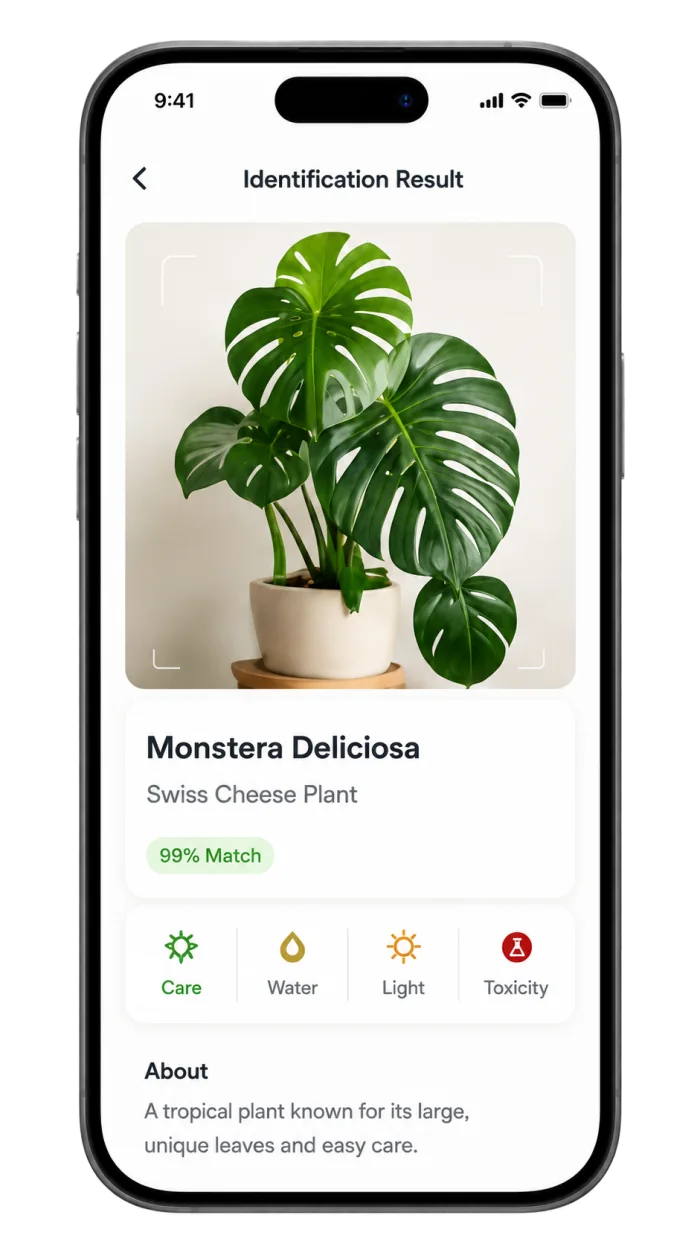
Photograph a leaf, flower, stem, or the whole plant and review the closest identification result.
Plantiqa for iPhone
Identify a plant from a photo on your iPhone, then explore names, care guidance, light needs, and helpful plant details in one easy-to-use app.
Identify plants wherever you grow
Plantiqa is built for moments when you see an unfamiliar houseplant, garden flower, tree, succulent, or wild plant and want to learn more. Take a clear picture, review the suggested identification, and continue to practical plant information without searching through dozens of unrelated images.
The app combines photo-based plant identification with beginner-friendly guidance, making it easier to move from “What plant is this?” to “What does this plant need?”
Download the AppAvailable for iPhone on the Apple App Store.
Made for everyday plant questions
Use the camera already in your pocket to explore plants and keep useful growing information close at hand.
Photograph a leaf, flower, stem, or the whole plant and review the closest identification result.
Move from a plant name to practical guidance for light, watering, and everyday growing conditions.
Use the built-in light meter as a helpful reference when comparing possible locations for a plant.
Continue learning through Plantiqa’s plant directory, categories, and beginner-friendly care guides.
A simple three-step process
Place the plant in good light and keep its most distinctive leaf, flower, or growth habit in focus.
Compare the common name, botanical name, and visible features with the plant in front of you.
Use the identification as a starting point for learning about light, water, soil, and routine care.
Better photos, more useful results
A plant identifier works best when the photo shows the features that separate one species from another. Wipe dust from leaves when possible, avoid heavy shadows, and keep the camera steady.
Common questions
Open Plantiqa, take a clear photo of the plant or choose one from your photo library, and review the suggested plant name and supporting details. Compare the result with more than one visible feature before relying on the identification.
Use good natural light and keep a mature leaf, flower, fruit, stem, or the plant’s overall shape in focus. A simple background helps the plant stand out.
Yes. Plantiqa connects identification results with useful plant details and practical guidance for light, watering, and everyday care.

Download Plantiqa free and start identifying plants and mushrooms today.
Download the App